Zero Line Tools & Checklists
Printable-style routines for upgrades, warm-ups, and sensitivity — built for real sessions, not theory.
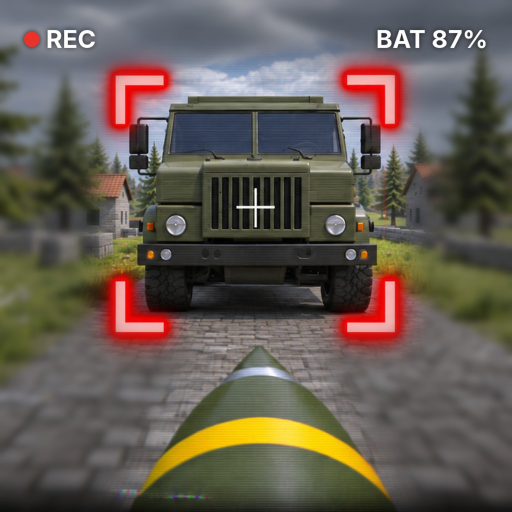
This Tools Hub turns Zero Line advice into checklists you can run before a queue. Use it when you already know the fantasy — FPV kamikaze drones, guns, missions, upgrades — and you need a tight pre-flight, not another essay. Deep dives still live under Guides; rankings under Tier List; patch context under Updates.
Zero Line supports PC, mobile, tablet, and console. Every checklist below assumes you can adapt binds, but the order of operations stays the same.
Tool 1 — Recommended upgrade path checklist
Run this top to bottom. Stop when cash runs out; resume next session. Details and rationale sit in the Upgrades Guide.
Before you spend
- Joined Pushpin Gaming group for +20% cash and rejoined the experience
- Checked Codes this session
- Noted why you died last three times (endurance / thrust / signal / vision / aim)
- Picked a main among the three drones (do not split cash evenly yet)
Core power order
- Battery tier up (airtime)
- Propeller tier up (climb + dive corrections)
- Antenna tier up (readable ranged hunts)
- Reassess: still dying blind in the dark? → consider NV
- Reassess: losing targets in clutter? → consider thermal
- Second pass battery/propeller if fights still feel short or mushy
- Camo skins / outfits only after the above feel respectable
After each purchase
- 2-minute hover + shallow dive test
- One fight that matches what you bought (long sortie, reshape dive, ranged hunt, or sensor hunt)
- Mission board glance — did pace improve?
If the Tier List disagrees with your wallet after a patch, still finish battery/propeller spine before meme spending.
Tool 2 — Session warm-up checklist (≈10 minutes)
Borrowed from Controls and tightened for repeat use:
- Load in; confirm group bonus; redeem codes if any
- Open missions; mark one easy daily as the warm-up objective (Missions)
- Hover hold heading 20 seconds
- Box drill: forward + yaw 90° ×4
- Climb/descend ladder without yaw
- Three shallow open-ground dives (one correction max each)
- One gun tracking pass
- Toggle NV once and thermal once while hovering; return to preferred mode
- Take the easy daily target (often a truck) using a shallow approach from Combat Tactics
- Shop only if a checklist item in Tool 1 is clearly next
Skip steps only if you truly warmed up already today — not because you are impatient.
Tool 3 — Sensitivity tips summary
Keep numbers in a note app; Roblox profiles sometimes reset.
Universal
- Start lower than a typical Roblox shooter; FPV punishes oversized flicks
- If you constantly fly past targets → lower look sensitivity ~10–15%
- If micro yaw feels impossible → slightly higher look OR lower dead zone
- Change one setting at a time, then rerun warm-up steps 3–6
PC
- Disable forgotten OS acceleration experiments
- Separate fire and dive/commit binds to stop accidental kamikazes
- Mouse owns aim; keyboard hand owns throttle feathering
Mobile / tablet
- Maximize stick UI; anchor the device
- Consider clip-on controller for daily pilots
- Tablets help thermal/NV readability — use that for sensor practice nights
Console
- Set dead zones against drift
- Confirm look inversion immediately
- Prefer slightly slower look than arena shooters; map dive vs fire to distinct bumpers/triggers
Sensor-related feel
- If thermal “feels inaccurate,” check contrast — it may be a mode choice, not sensitivity
- Recalibrate after big propeller upgrades; more thrust makes old sens feel twitchy
Full axis explanations remain on Controls. This tool is the cheat sheet.
Tool 4 — Pre-combat decision card
Keep this mental card when a target appears:
- Truck? Shallow long line, match lateral speed, body mass aim
- Player? Lead strafe, late steepen, one correction
- Heli? Observe, side body line, abort if juke denies geometry
- Enemy drone? Guns first unless trade is worth it
- Mission almost done? Lowest variance option wins
- Battery low? Hunt close or recall — do not cross-map greed
Details: Combat Tactics.
Tool 5 — Patch day mini checklist
From Updates:
- Experience page + Pushpin posts skimmed
- New codes redeemed
- Group cash still applying
- Warm-up flown (physics feel check)
- One truck dive + one gun pass before big spends
- Bugs filed via Settings → FEEDBACK / BUG if needed
How to use this hub weekly
- Start of week: Tool 1 inventory — where is your main drone on the spine?
- Every session: Tool 2 warm-up
- When aim feels wrong: Tool 3 only — do not also rebuild the entire upgrade tree the same night
- When targets confuse you: Tool 4 + one tactics reread
- After updates: Tool 5
Link friends to this page instead of rewriting advice in chat. For onboarding them from zero, still send Getting Started.
What this hub is not
- Not a script executor — see Scripts only with full risk awareness; nothing here requires scripts
- Not a live calculator with fabricated DPS numbers
- Not a replacement for flying reps
Tools exist to remove decision fatigue so your brain can spend FPS on throttle and lead. Run the lists, then go fly.
Frequently Asked Questions
Quick answers to the most common Zero Line questions.
What tools are on this Zero Line page?
An upgrade path checklist, a session warm-up checklist, a sensitivity tips summary, a pre-combat decision card, and a patch-day mini checklist.
Should I follow the upgrade checklist before cosmetics?
Yes. Batteries, propellers, and antennas come first, then NV or thermal as needed. Skins and outfits wait until the core kit feels solid.
How long is the recommended warm-up?
About ten minutes including an easy daily. Hover, box drill, climb ladder, shallow dives, a gun pass, and sensor toggles before real fights.
Where do I read full control and combat explanations?
Use the Controls guide for axes and binds philosophy, and Combat Tactics for trucks, helis, players, and gun versus dive choices.
Do these tools work on mobile and console?
Yes. The order stays the same on PC, mobile, tablet, and console. Adjust stick UI, dead zones, and inversion using the sensitivity summary.